Invoice Clients with Accurate Hours
Track time on client work. Export for invoicing. Get paid for every hour.
Start Free ForeverNo credit card required • Free forever, no per-seat pricing
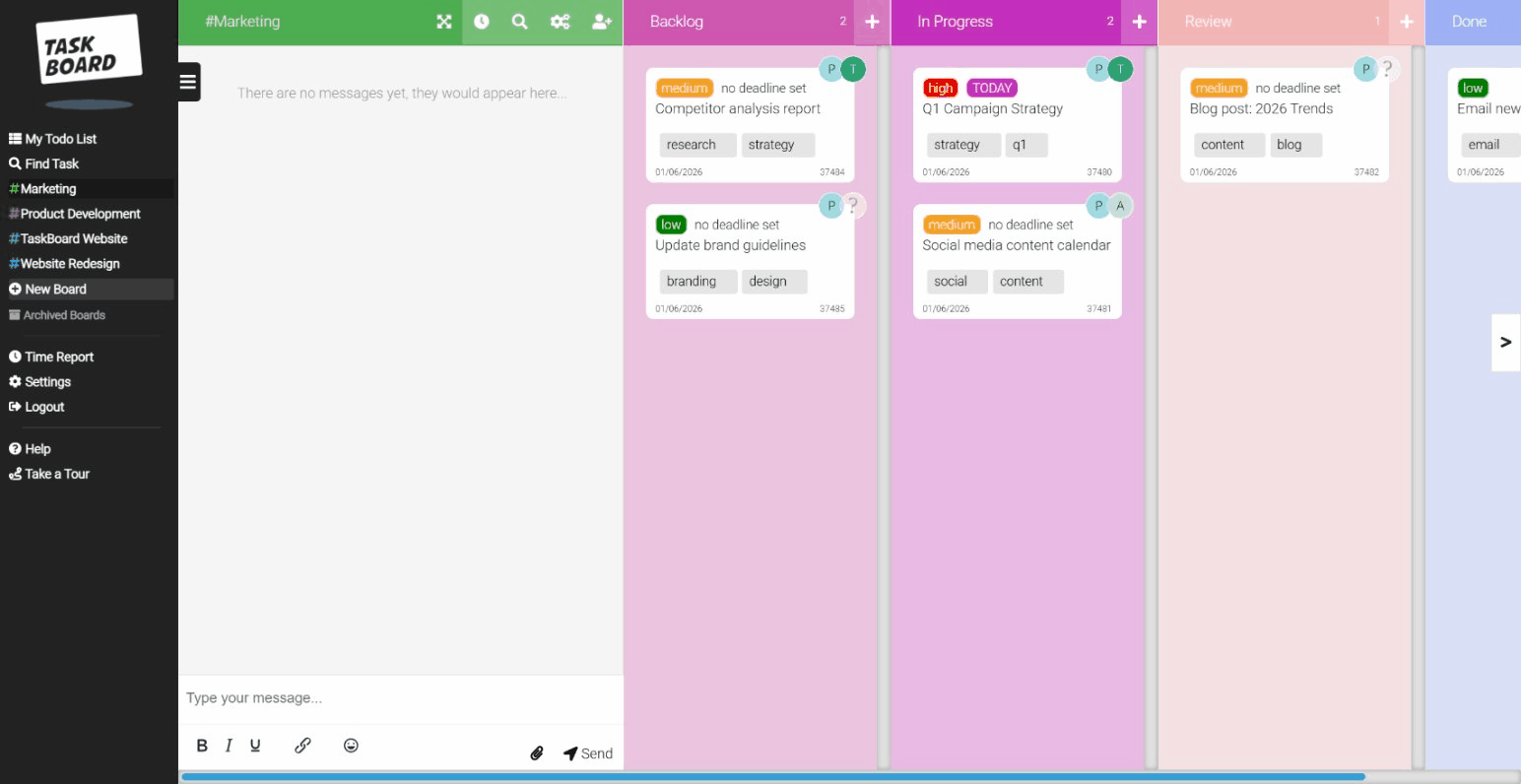
Stop guessing how long projects take
Freelancers lose money by underestimating time. Task Board tracks every minute so you can invoice with confidence.
The freelancer struggle
- Forgetting to start the timer = unbilled hours
- Juggling tasks across multiple clients
- Manual timesheet compilation at invoice time
- Paying for tools designed for big teams
How Task Board helps
- One-click timers: Start on any task instantly
- Client boards: Separate board per client
- Time reports: Export hours for invoices
- Free forever: unlimited boards, no card needed
Free. Forever. No catch.
Freelancers get unlimited boards, unlimited tasks, and full time tracking.
No credit card. No trial that expires. Just free.
From task to invoice in minutes
Simple workflow that fits how freelancers actually work
Add Client Work
Create a board for each client. Add tasks as they come in.
Track Your Time
Click start. Do the work. Click stop. Every minute logged.
Export Report
Filter by client and date. Download CSV or view summary.
Invoice & Get Paid
Attach time report to invoice. Bill with confidence.
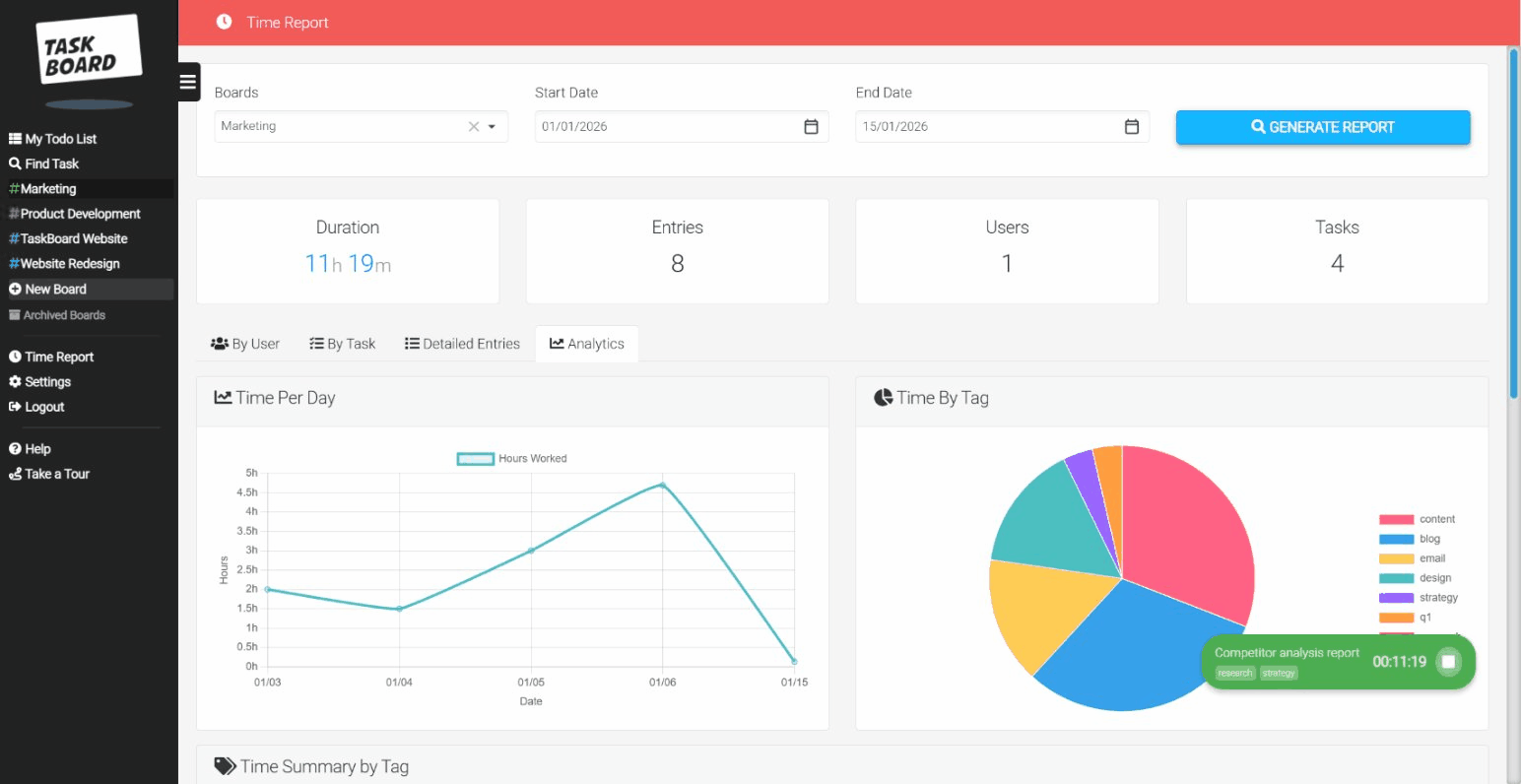
Time reports your clients will trust
Export detailed time logs showing exactly what you worked on and when. Attach to invoices so clients see the value of every hour.
- Filter by client or project
- Custom date ranges
- CSV export for any invoicing tool
- Task-level time breakdown
Never forget to track time again
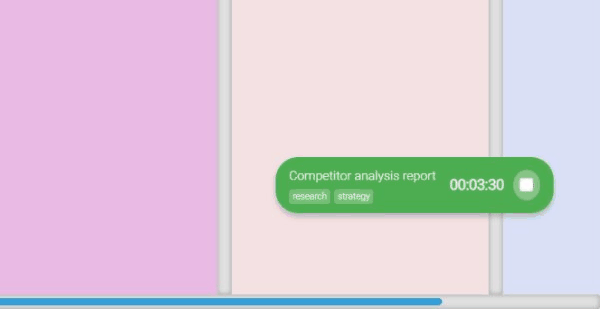
The floating timer stays visible while you work. Switch between clients, check email, come back - the timer is still running. No more reconstructing timesheets from memory.
- Floating timer widget
- One-click start/stop
- Manual entry for forgotten time
- Multiple timers for quick switches
Let clients see progress (for free)
Invite clients as guests to view their project board. They see task progress without cluttering their inbox with updates. Guest access is free on all plans.
- Clients see their board only
- Real-time progress updates
- No extra cost per guest
- Professional client experience
"I was losing at least 5 hours a week to poor time tracking. Now I log everything with one click and my invoices are accurate. Plus it's free!"
Why not just use Toggl or Clockify?
They're great for tracking time. But you still need a separate tool for managing tasks.
| Feature | Trello + Toggl | Notion + Clockify | Task Board |
|---|---|---|---|
| Task boards | ✓ | ✓ | ✓ |
| Time tracking | ✓ | ✓ | ✓ |
| One tool | Two tools | Two tools | One tool |
| Context switching | Constant | Constant | None |
| Price (solo) | Free (limited) | Free (limited) | Free (unlimited) |
Frequently Asked Questions
Common questions from freelancers considering Task Board
Is Task Board really free for freelancers?
Yes, the whole product is free forever: unlimited boards, unlimited tasks, unlimited members, full time tracking, and time reports. There's no trial period, no credit card required, and no surprise fees. You only ever pay for the optional Workspace org layer, and that's a flat £39/month per workspace, never per seat. Client guest access is always free.
How do I track time for different clients?
Create a separate board for each client. When you work on a task, the time is automatically associated with that client's board. When you generate a time report, you can filter by board (client) to see exactly how much time you spent on their projects. This makes invoicing straightforward as each client's time is kept completely separate.
Can I share my progress with clients?
Yes, invite clients as guests to their specific board. They can see task progress, view what you're working on, and leave comments. Guest access is free and unlimited. Many freelancers find this reduces the need for status update emails and keeps clients engaged in the project without constant back-and-forth.
Is there a limit on how many boards I can create?
No. Boards are unlimited and free, so you can spin up a separate board for every client without worrying about a cap. You can still archive completed client boards to keep your workspace tidy. Archived boards retain all their data and can be restored if you work with that client again.
Can I export my time reports for invoices?
Yes, time reports can be exported to CSV format, which opens in Excel, Google Sheets, or any spreadsheet application. The export includes task names, time entries, dates, and durations. Many freelancers attach these reports directly to invoices or use them to populate invoice line items in their accounting software.
What happens if I hire a subcontractor?
Just add them. Members are free and unlimited, so a subcontractor who needs to create and edit tasks costs nothing extra, and there's no per-seat charge. If they only need to view progress and comment, you can add them as a free guest instead.
Start tracking your billable hours today
Free forever, for you and anyone you bring on. A flat £39/mo per workspace adds the org layer, never per seat.
No credit card. No trial. Just start.
Join thousands of freelancers who bill with confidence